
Real businessUpcoming Business — Pending Alabama Approvals
Concept / Not Live
An upcoming Alabama business with a professional digital presence.
Upcoming. Not licensed, approved or operational. Preparing for full operations, pending required approvals from the State of Alabama. Its website is a showcase of the design and is not a live service.
Live website Not yet public. A live link and callout appear only after the public showcase is approved.
01 · Purpose
Burton Deed & Will Services is an upcoming Alabama business preparing for full operations pending required state approvals. Its website demonstrates a professional digital presence designed to introduce the business, communicate its services, and support future customer engagement.
02 · The problem
A document-preparation business that depends on approvals outside its control needs a website that can introduce it and explain its services in plain language, while never implying a service is available before it is. The site also has to be honest that it prepares and explains documents and is not a law firm.
The business it represents. An upcoming Alabama document-preparation business for simple wills, living wills and powers of attorney. It is not a law firm and says so.
Who it serves. Adults who need ordinary estate paperwork explained in plain words, and who want to know what a first call involves before they make it.
Deployment status
No public deployment is shown. The pages here are captures of a local build of the public website pages.
The business is upcoming and pending required Alabama approvals, so its website is not presented as a live service. Attorney-review previews exist privately and are not published here.
Status checked on 2026-11-09. A status is a statement about what was tested that day, not a promise about tomorrow.
03 · Design approach
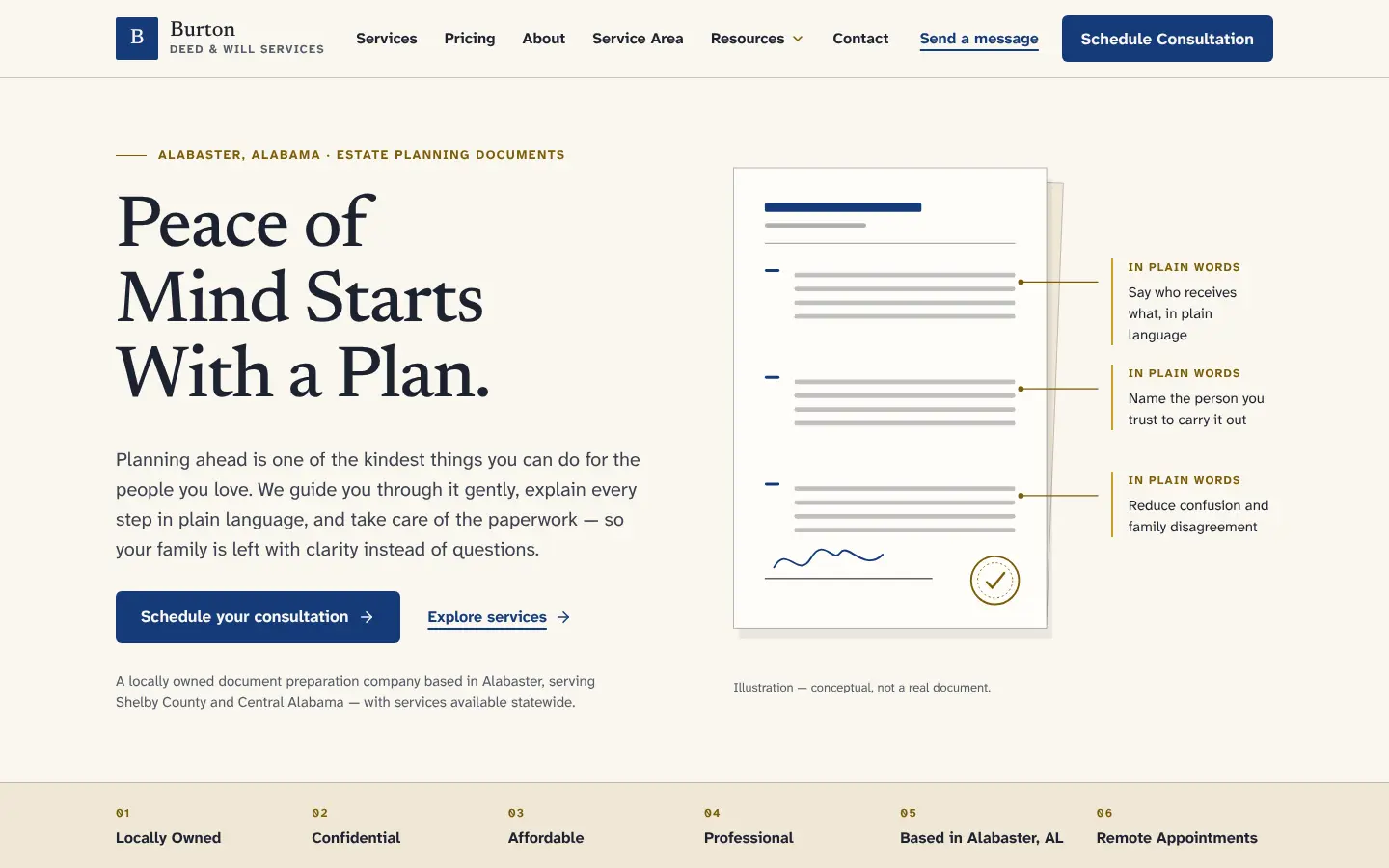
Calm, editorial and trustworthy: warm paper tones, a serif display face paired with a highly legible sans, a single navy action colour and a restrained brass accent. A conceptual document illustration with “in plain words” callouts carries the brand idea of explaining paperwork simply.
04 · Annotated desktop captures
Real captures of the published site. Numbered points are explained as the camera moves to each one.
Persistent consultation action
Navigation stays short, and Schedule Consultation is always in the header.
A plain-language promise
A single calm headline sets the tone before any service detail.
One clear next step
The primary button asks for a consultation; a quieter link explores services.
“In plain words” callouts
The illustration explains the idea of the business: paperwork made understandable.
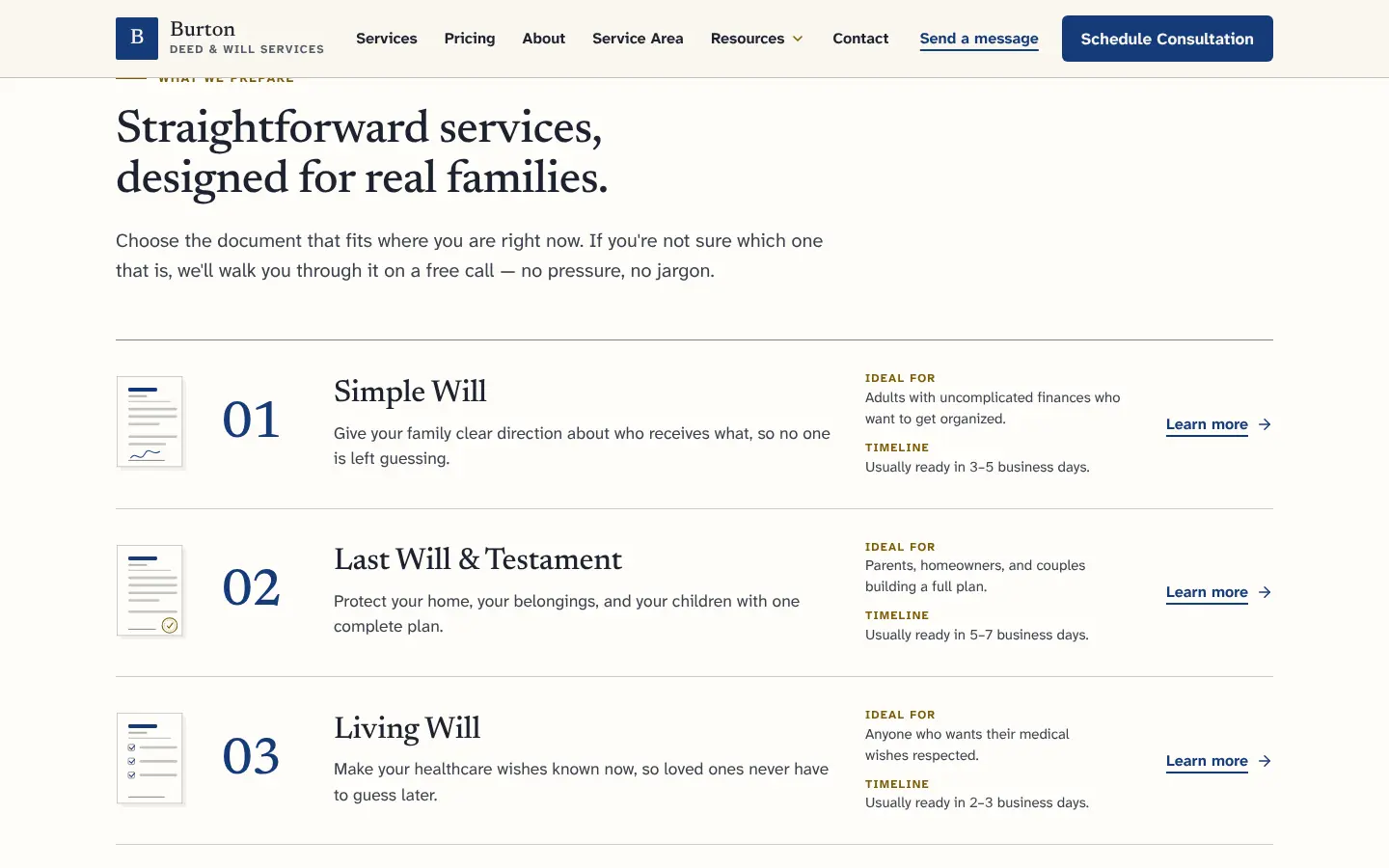
Services in plain terms
The section opens by helping a visitor choose the document that fits their situation.
Numbered, scannable rows
Each service has a number, a small document icon and a one-sentence description.
Who it is for
Each row says who the document suits and the usual timeline.
A route to detail
Each row leads on to its own service detail.
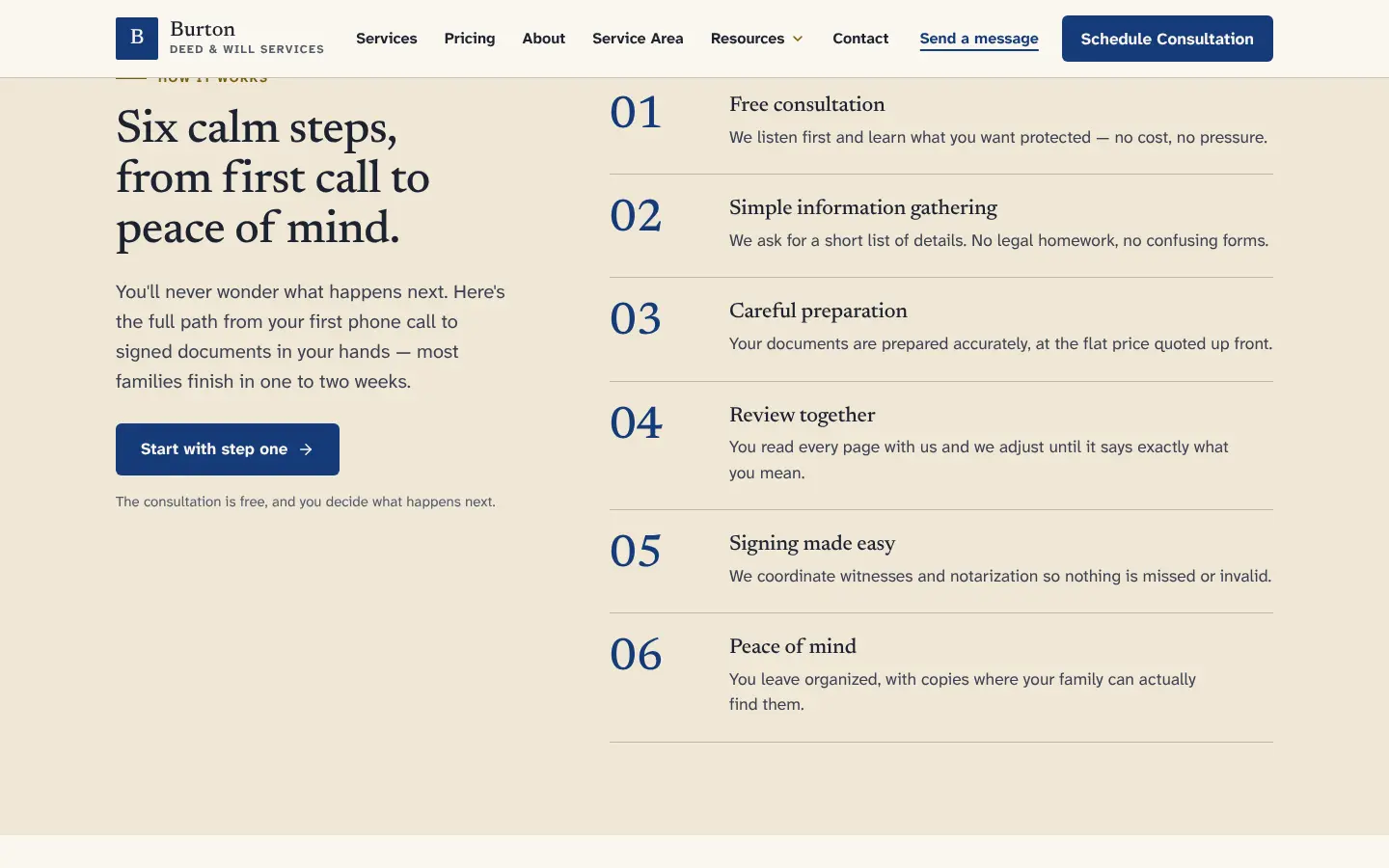
What happens next
The section answers the visitor's biggest question before they call.
Six numbered steps
From a free consultation to signed documents, each step in one line.
A step-one action
The button starts the first step directly.
Signing and notarization
The path covers coordinating witnesses and a notary.
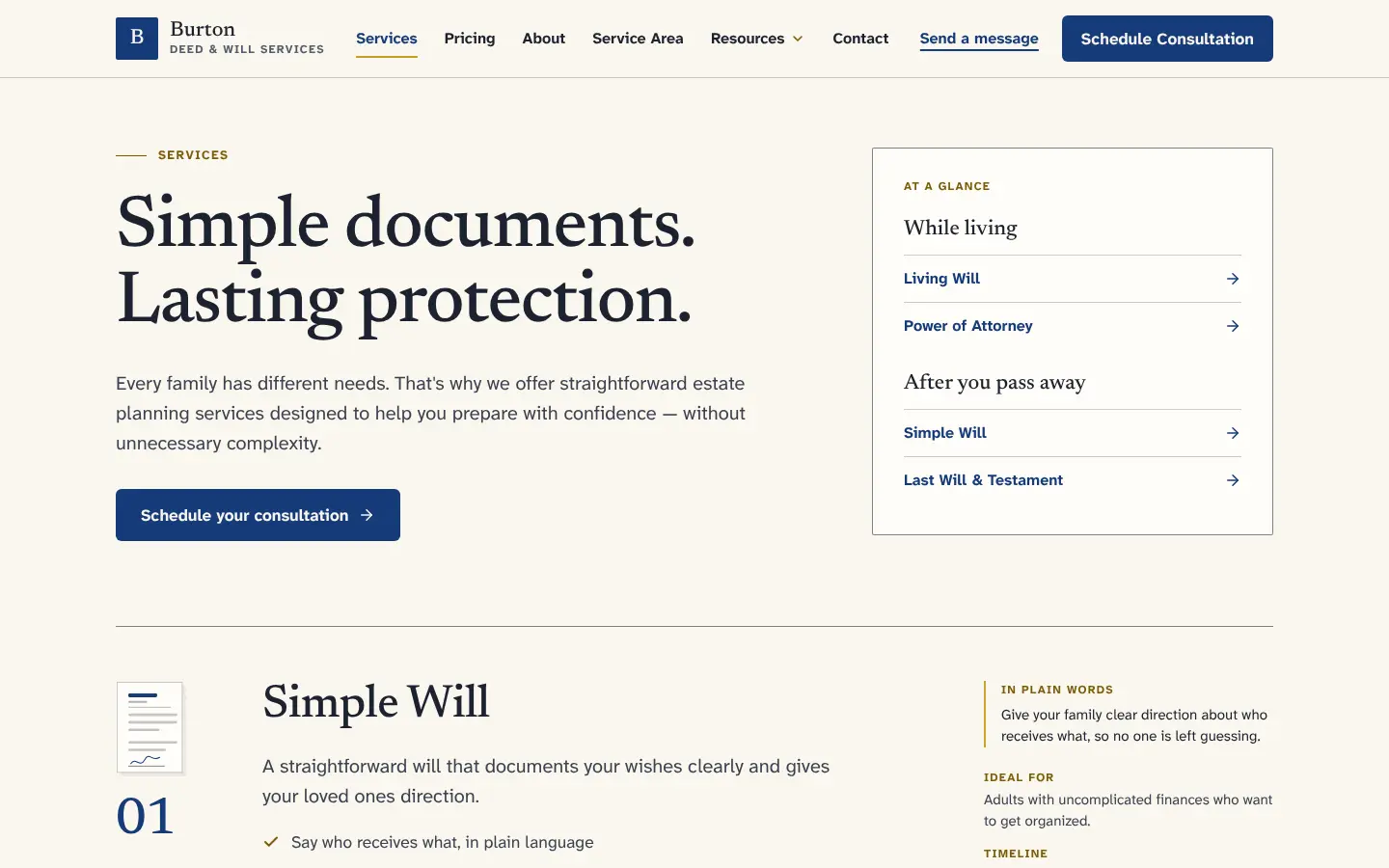
Headline and promise
The page leads with a short statement of what the services are for.
At a glance
Services are grouped by while living and after you pass away.
Service detail
Each service gets a number, a description and a short checklist.
Consultation action
The same primary action repeats on every page.
05 · Responsive behaviour
From desktop to phone
05 · Responsive behaviour
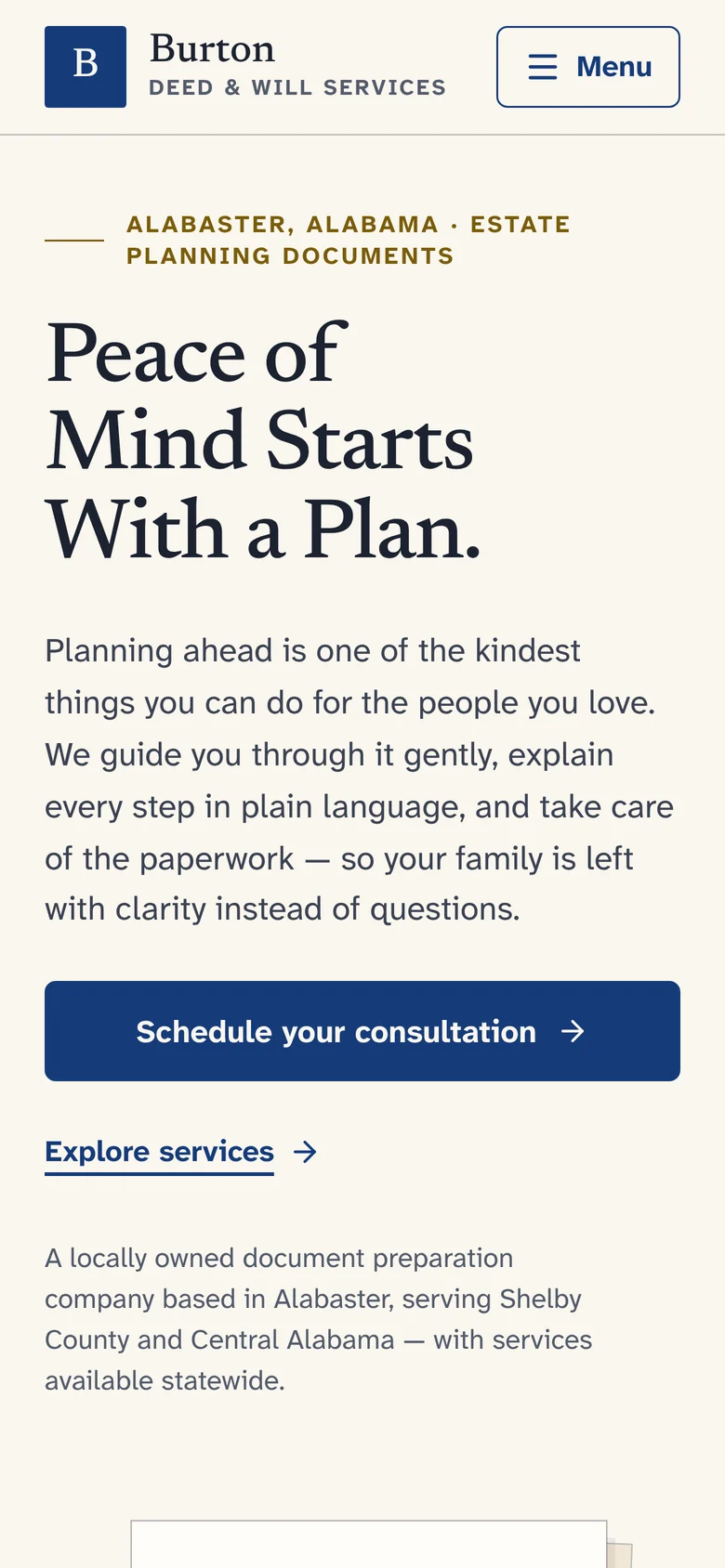
On desktop the home page pairs the headline with an illustration beside it. On a phone the same content stacks into one column: headline, call to action, then illustration, and the header collapses to a Menu button.
06 · Annotated mobile captures
Menu
Navigation collapses to one clearly labelled button.
Headline reflowed
The same headline stacks into three lines at a comfortable reading size.
Full-width action
The consultation button spans the screen for easy tapping.
Secondary path
Explore services sits directly beneath it.
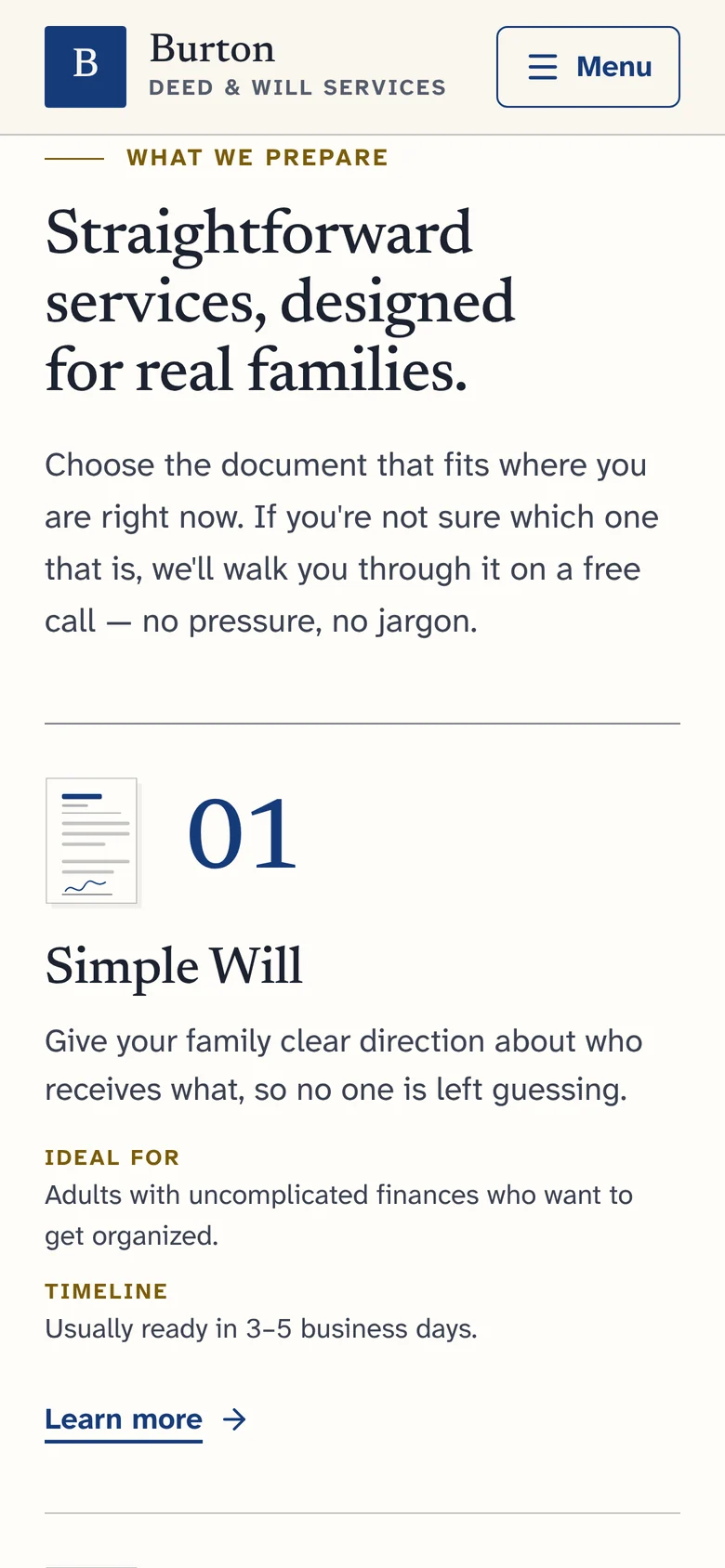
One column
The services section stacks into a single readable column.
Number and name
Each service keeps its number and icon above its name.
Who it is for
The audience and timeline are kept, in short labelled lines.
Learn more
A large link leads to the service detail.
Key functionality
- A plain-language home page: headline, consultation call to action and an annotated document illustration
- Four services (Simple Will, Last Will & Testament, Living Will, Power of Attorney), each with who it is for and a typical timeline
- A six-step “how it works” path from first call to signed documents
- Service-area, FAQ, contact, scheduling, resource and legal pages, with clear statements that legal advice comes only from licensed attorneys
- Forms are demonstrations only: the site does not pretend a submission was delivered
Key interactions
- A persistent header with a Schedule Consultation action on every page
- On a phone, the navigation collapses to a Menu button and the layout stacks to a single column
- Service rows that lead to each service's detail
Verified technical implementation
- Built with TanStack Start, React, Vite and Nitro, verified from the project source.
- Shown here from a local build of the public website pages only. The attorney-review Document Automation Lab and its review notices are not included or captured.
- Preview configuration is non-indexable, and forms are demonstrations until real delivery is built.
What it does
- Introduces the business and four document services in plain language
- Explains a six-step path from first call to signed documents
- Offers a consultation action from every page
- States that legal advice comes only from licensed attorneys
- Contact and scheduling forms are demonstrations and do not deliver a submission (demonstration)
- A document-automation lab exists privately for attorney review and is not part of this showcase (in development)
Anything not marked is implemented in the version shown. Behavior marked demonstration, or in development, is not described as production-ready.
How it was built
- Content was written to avoid any statement that a service is available before approvals exist.
- Design was planned around one idea: explaining paperwork simply, carried by an annotated document illustration.
- The public pages were captured from a local build so that private review material never appears.
Technology, as verified. TanStack Start; React; Vite; Nitro (verified from the project source).
AI. Development history for this build is not summarized in the sources reviewed here, so no statement is made about how AI was or was not used.
Maturity. A showcase build. Forms are demonstrations until real delivery is built and verified.
Beyond this business
The transferable capability is honest presentation for a business that cannot yet promise anything, and plain-language explanation of a process people find intimidating.
- Notary and document-signing services. A clear service list with what is and is not included, and a step path from booking to signing.
- Tax preparers and bookkeepers. A seasonal timeline and a plain explanation of what to bring, without pretending to give advice a licence does not allow.
- Licensing and permit consultants. Pages that separate what the business prepares from what a government office decides.
- Benefits and insurance navigators. A first-call explainer that lowers the anxiety of a complicated form.
What Business Discovery would decide for a new business:
- Which statements the regulator or licence permits and which it forbids
- How scheduling should work and what a visitor may be told before approvals arrive
- Whether a form should deliver to an inbox, a CRM, or nowhere yet
- How to describe the limits of the service without losing the visitor
These are applications of the capability, not designs to select. A new site would be designed from that business's own answers.
07 · Business value
Shows how STS builds for a regulated business without overclaiming: the site introduces the business and its services, and is clear about what it is and is not.
Classification: Upcoming Business — Pending Alabama Approvals. Status: Upcoming. Not licensed, approved or operational. Preparing for full operations, pending required approvals from the State of Alabama. Its website is a showcase of the design and is not a live service.
Your business
Simplified Tech Solutions does not build businesses around website templates. We design digital experiences around the business itself. Every project begins with Business Discovery: understanding what the business does, who it serves, how it operates, and what its digital experience must accomplish.
These concepts exist to demonstrate capability. A real project is not assembled from one of them; it begins with Business Discovery, and the design and engineering are decided from what that conversation finds. This page does not claim that any concept shown here began with a discovery session unless its own record says so.